The problem
Talk to anyone running a small sales or support team and you'll hear the same story. The real work happens in the inbox. A customer asks for a quote, a meeting gets moved, an invoice question comes in. Then someone has to copy all of that into a CRM, a calendar and a billing tool, usually at the end of a long day, usually not very well.
The information exists. It's just scattered across five places, and the only thing connecting them is a tired person with a lot of tabs open.
The idea
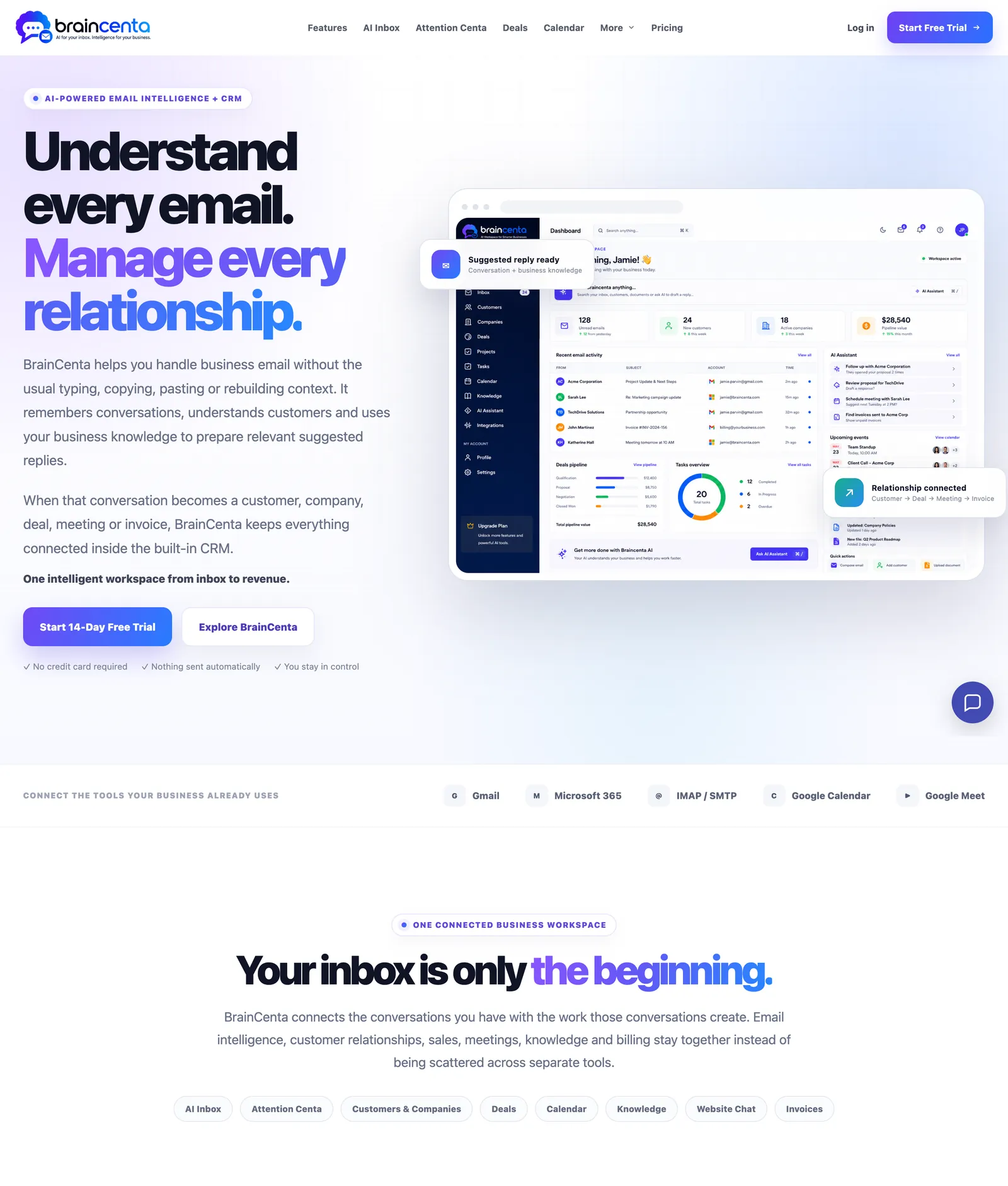
BrainCenta starts from the inbox instead of the CRM. You connect Gmail, Microsoft 365 or any IMAP mailbox, and the AI reads the conversation so you don't have to re-read it. It summarises long threads, suggests a reply based on the conversation and your own business knowledge, and links the email to the right customer, company, deal or meeting.
One decision shaped a lot of the product: nothing is sent automatically. The AI drafts, a person reviews and sends. For a tool that sits in your company inbox, that line matters.
What's in the workspace
- AI Inbox with summaries, suggested replies and the customer's context next to every email, across multiple connected mailboxes.
- Attention Centa, one view of what needs you today: unanswered conversations, CRM follow-ups that are due, deals near their close date and upcoming meetings.
- Deals and CRM with customers, companies and a custom pipeline showing value, probability and expected close date.
- Calendar linked to customers and deals, synced with Google Calendar and Google Meet.
- Billing for invoices, quotes and estimates, filled from the CRM so nobody types an address twice.
- Knowledge base that feeds the AI, and a website chat assistant that answers visitors using that same approved knowledge.
What we did
- Product and interface design for the marketing site and the app
- Front-end and back-end development
- Email connections (Gmail, Microsoft 365, IMAP/SMTP) and calendar sync
- AI features: conversation summaries, suggested replies and website chat
What other teams can take from it
The most useful AI features in BrainCenta aren't flashy. They save someone from re-reading a 30-message thread, or from copying an email address into three systems. If you're thinking about adding AI to your own product, that's a good test: find the boring, repeated step and start there.
The second lesson is about trust. Letting AI draft but not send made the product easier to adopt, because nobody has to worry about what it might say to a customer on their behalf.